Telus World of Science Edmonton App Creation
Making Wayfinding Accessible & Engaging for Science Centre Visitors
INTRODUCTION
The Telus World of Science Edmonton (TWoSE) App project is user-focused design work to create an immersive learning experience for guests at the local science centre.
I took on the role as a UX Designer and oversaw the creation of user flows, wireframes, prototyping and interactions, and usability testing.
This project was done in collaboration with the Telus World of Science Edmonton Centre and Elixr Simulations, with the goal of this project to improve an aspect of the centre through experiential learning processes.
Two designers and one SWE (Rachel Nhan, Stephanie Flordelis, Sergei Borja). 4 months (Sept. '24 - Dec. '24).
User Research, Interaction, Visual design, Prototyping & Testing
Without wayfinding, we get lost. Without engagement, we don't learn.
We visited the Telus World of Science and identified areas for improving wayfinding within the building. Currently, the building map is only available at the entrance and could benefit from refinement. Staff also noted that increasing interactivity would enhance guest engagement with exhibits. This case study will focus on developing accessible and engaging technology to improve the visitor experience.
To begin, we conducted research interviews with the primary users to reveal pain points that they may have with the science centre.
Research Goals:
Understanding the user goals and needs.
Uncovering pain points with the navigation experience.
Gathering ideas for potential interactions that users would be interested in.
How might we tackle both navigation and exploration to further improve the overall experience of a TWOSE Guest?
A gamified, functional, and incentivized take on engaging TWoSE guests.
App Features Summary:
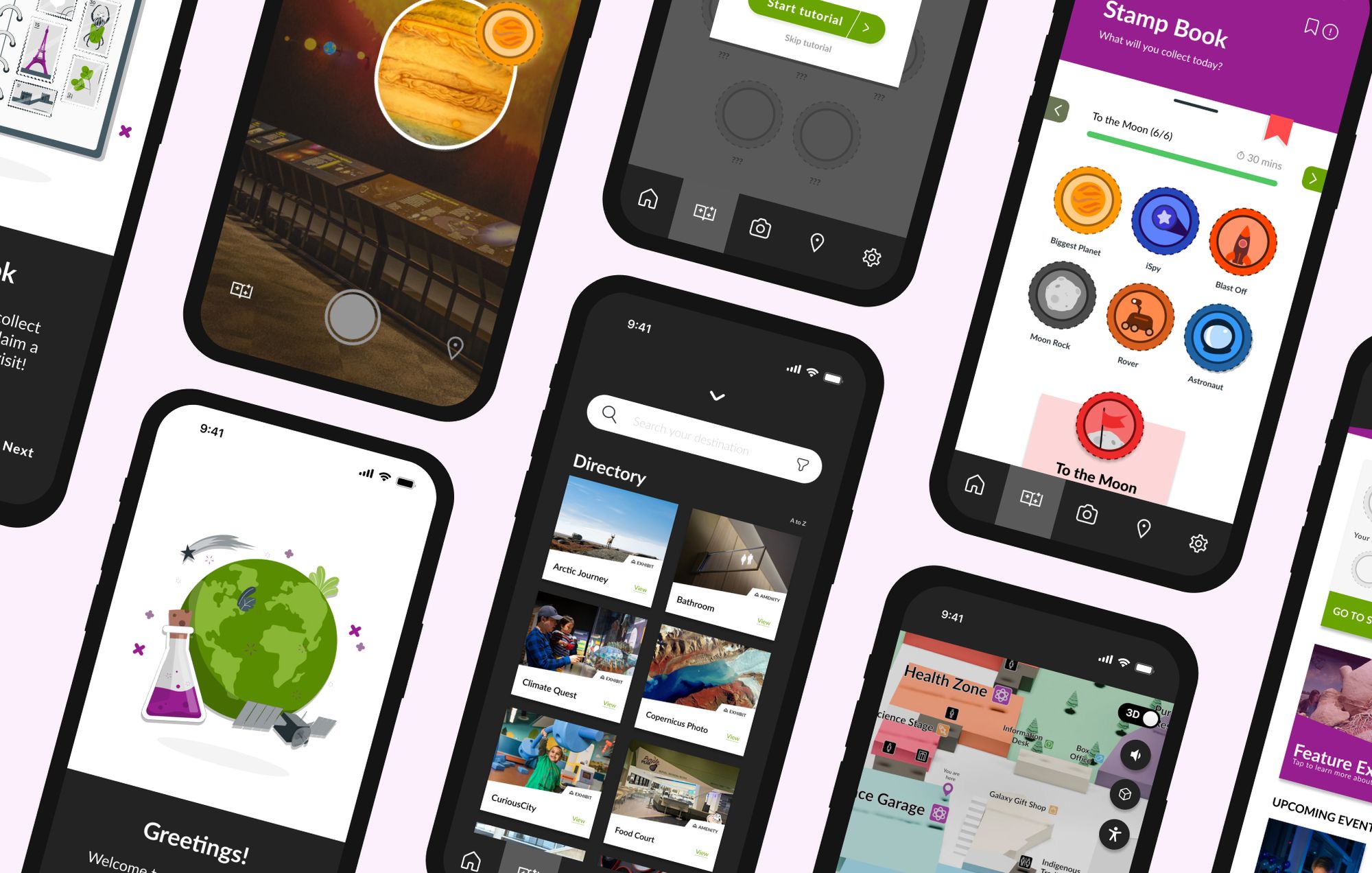
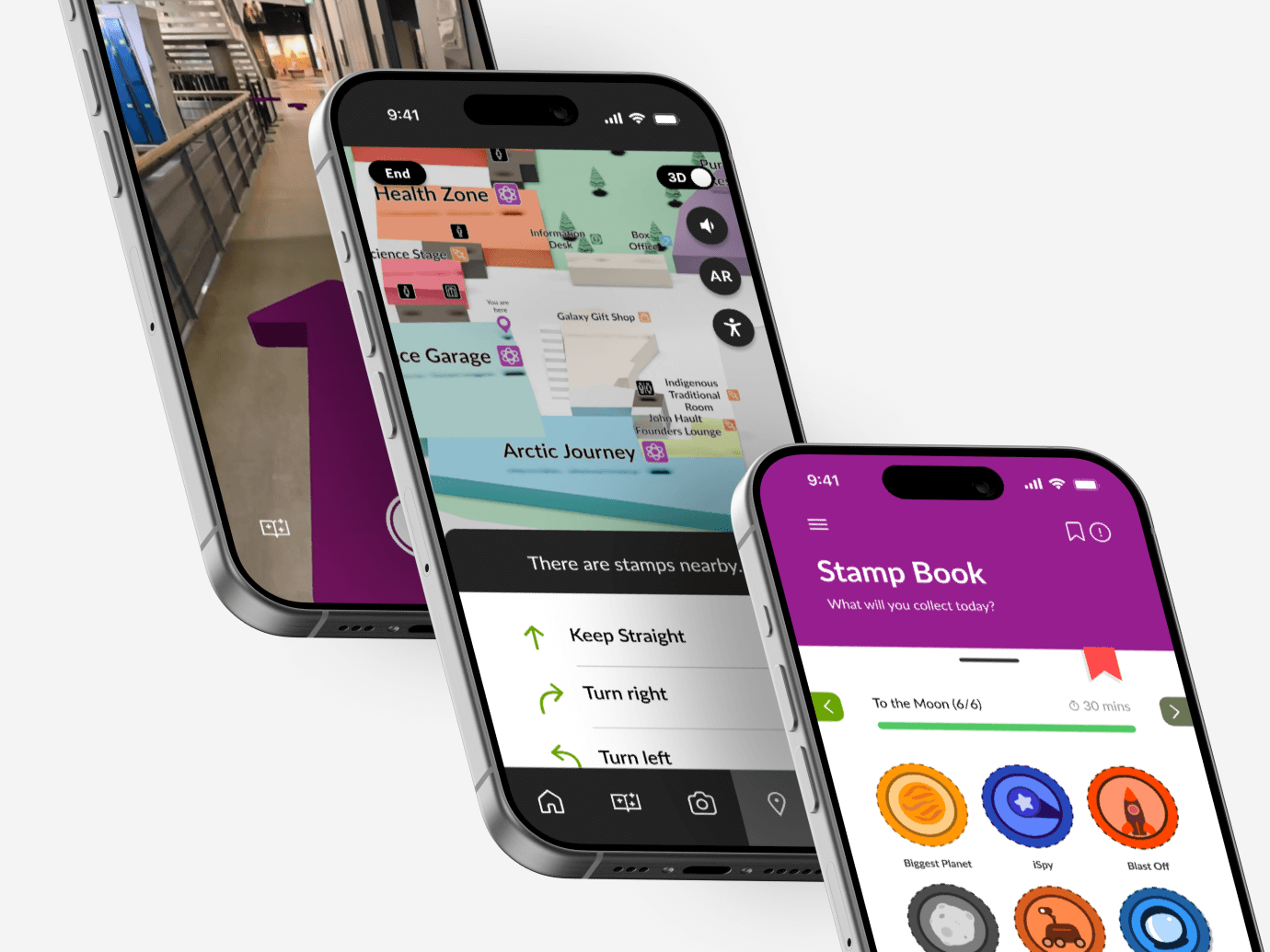
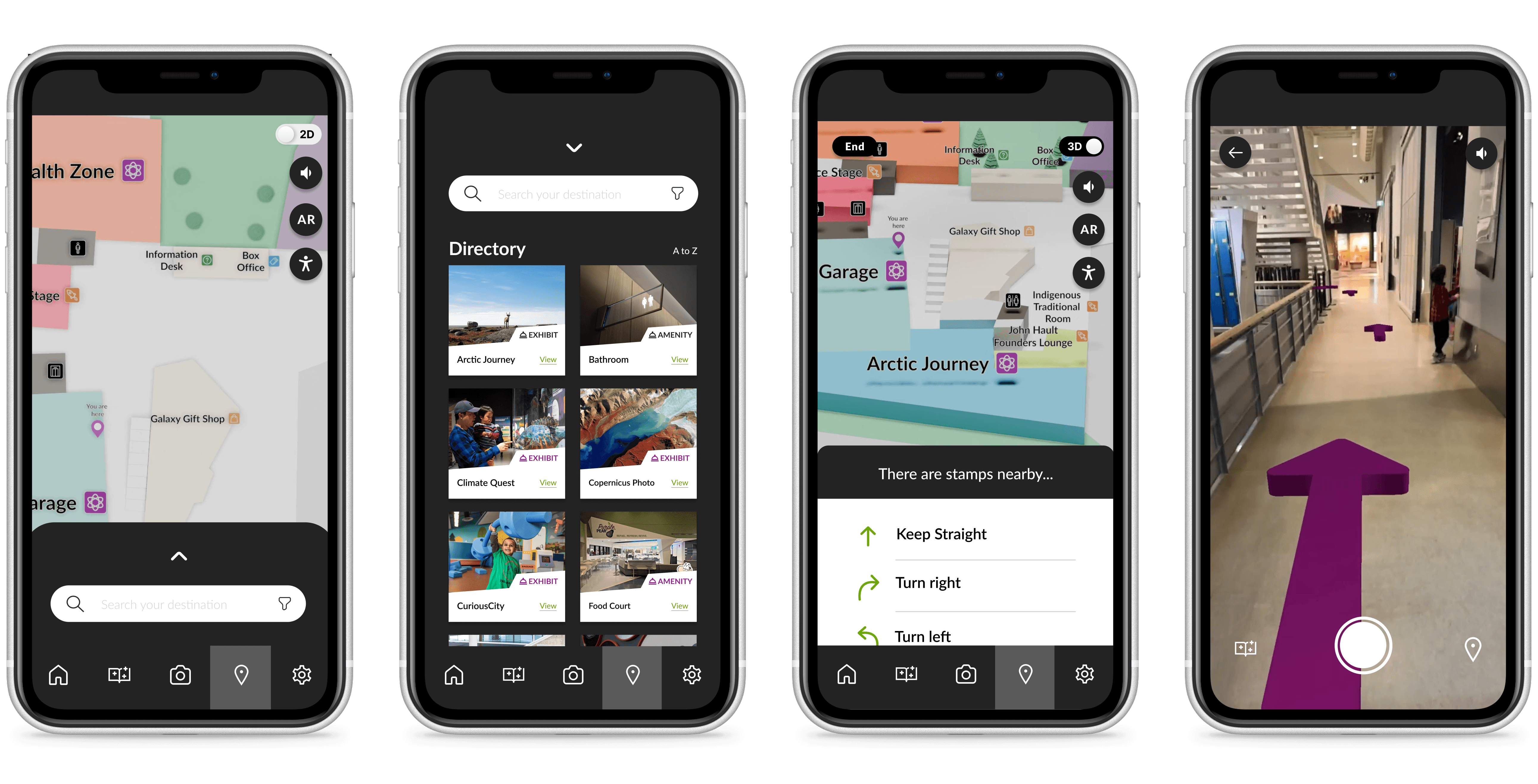
Access to wayfinding assistance for all guests with mobile devices. Involves a rendered map (2D, 3D, VR assisted) with disability-assist features.
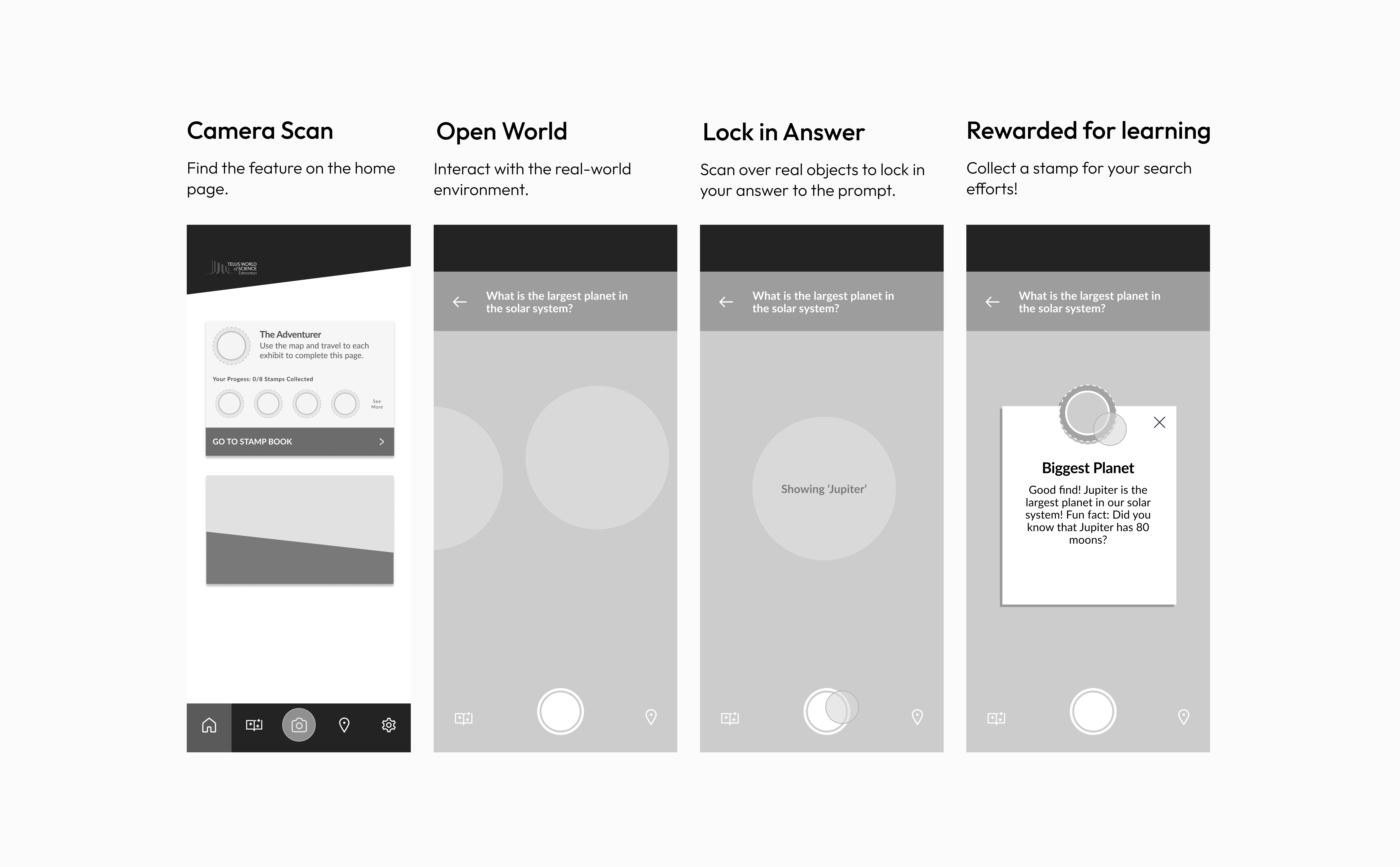
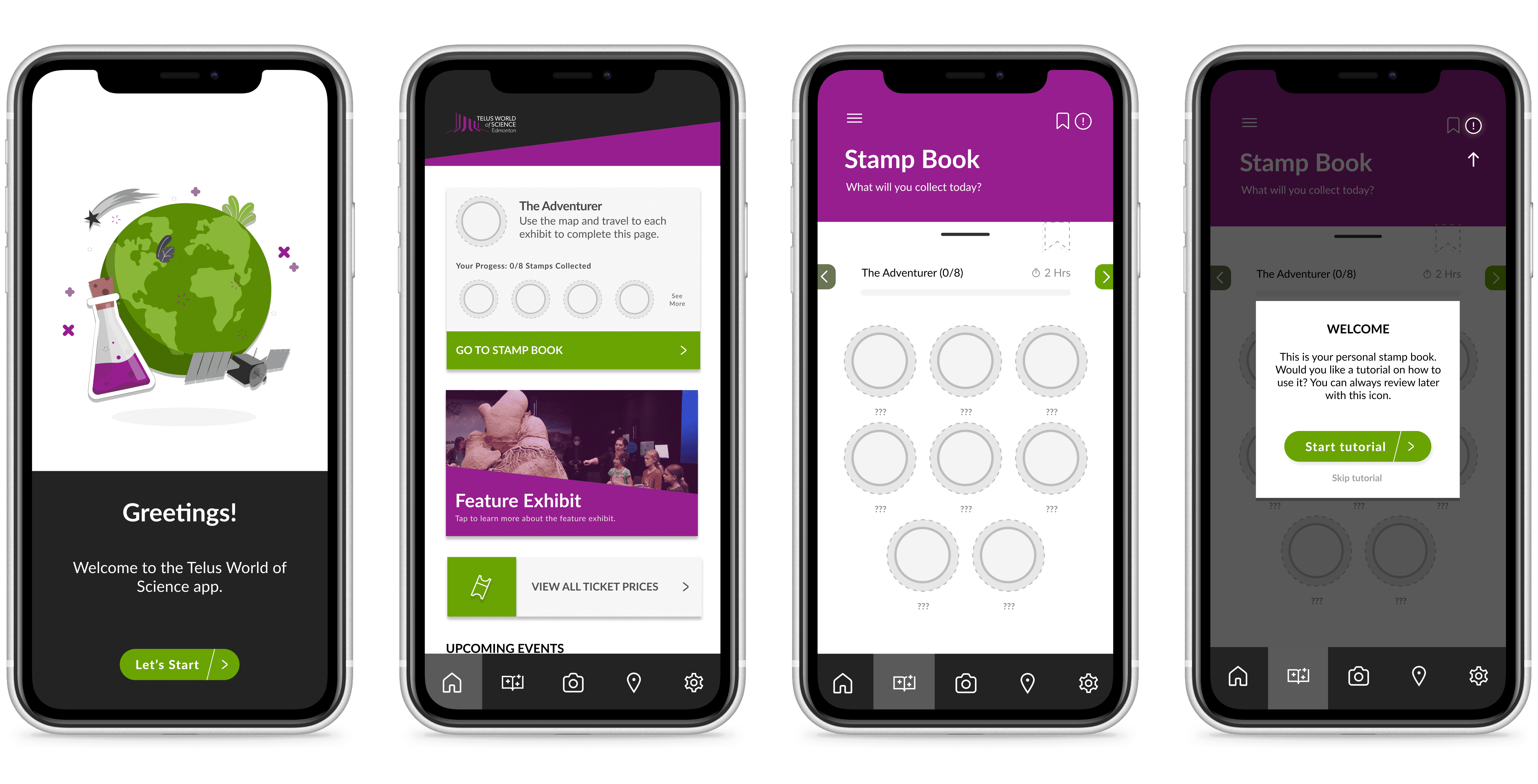
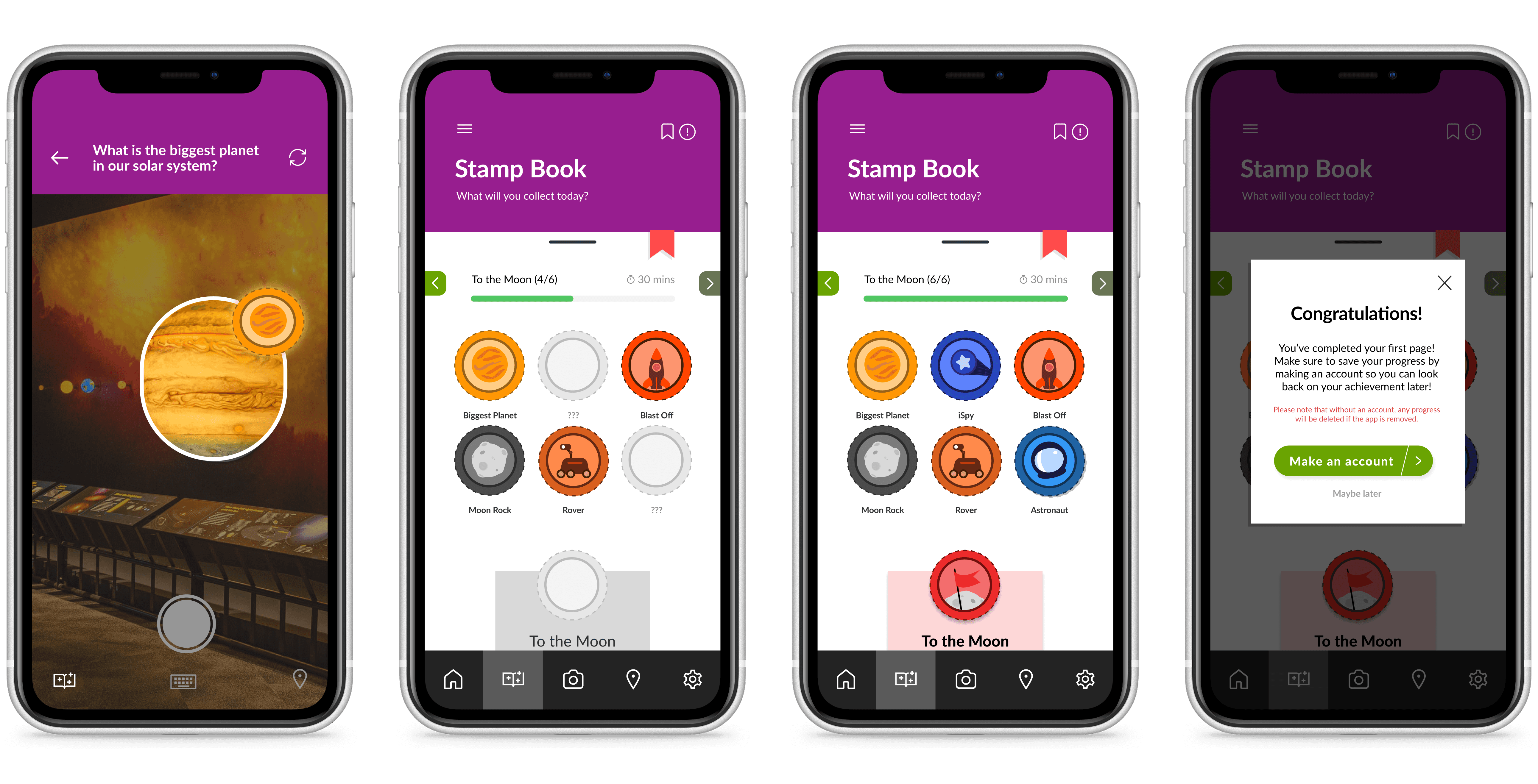
Engage guests with the exhibits by leading them on a stamp book hunt around the science centre. Allows for self-led exploration while engaging the educational outcomes.
Centralized application to record visits and progress within the science centre. Leave guests with a sense of fulfillment and assurance for continued experience on their next visit.
Process
Research & Ideation
Validating our assumptions about the current wayfinding system.
During the beginning stage, we visited the science center to observe guests and be a guest ourselves to measure a regular experience. We used brainwriting and mind-mapping to generate ideas, taking the stronger ideas to develop further.
Concerns that we discovered from our initial research are as follows:
Many guests rely on self-exploration to get around the exhibits and science centre.
Lack of wayfinding confuses guests and overwhelm staff on busy days.
There is a lack of arrows and signage in appropriate locations for guests to follow e.g. passing the ticket gate.
Shared displays can be roughly handled, calling for frequent repairs or replacements which can be expensive.
User Research
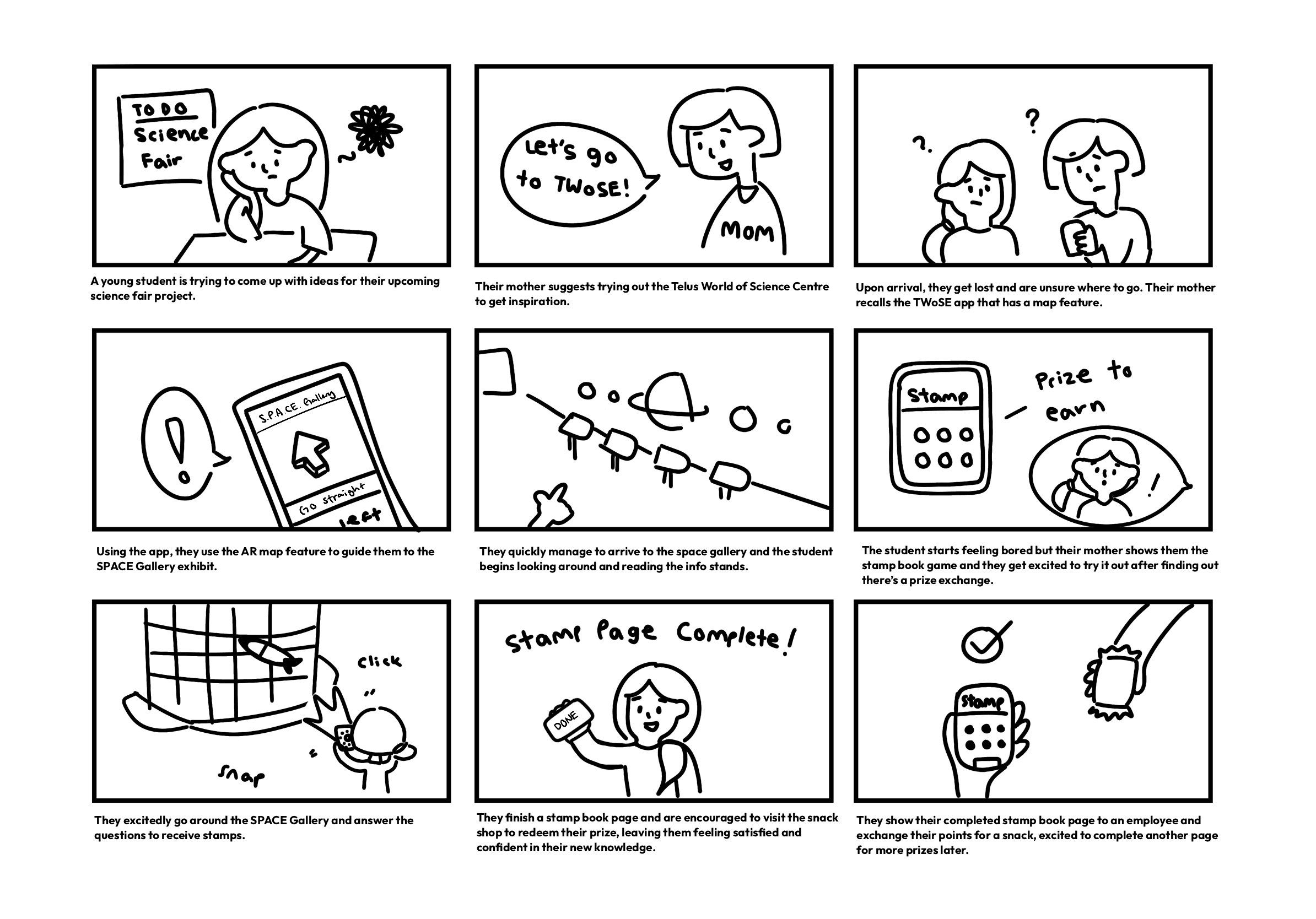
Simulating a possible scenario that could play out for a user.
In this scenario, we have our target user who accesses the TWoSE App to help them navigate to their desired area and utilize the incentive learning feature to quick learn and get a reward at the end of their visit.
Defining Persona & Goals
"I want to have fun while learning!"
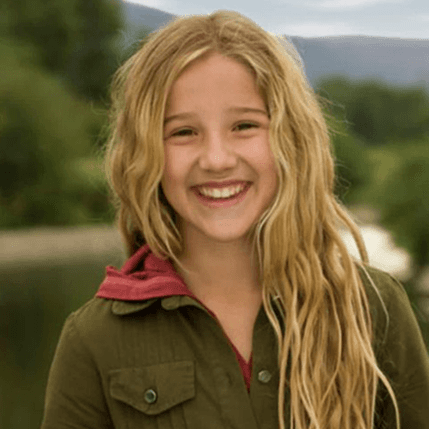
Charlie Stewart
13, game-lover, curious
Their goal is to learn enough about the solar system to finish their project.
Project Development
Implementing a game feature that has an incentivized learning experience.
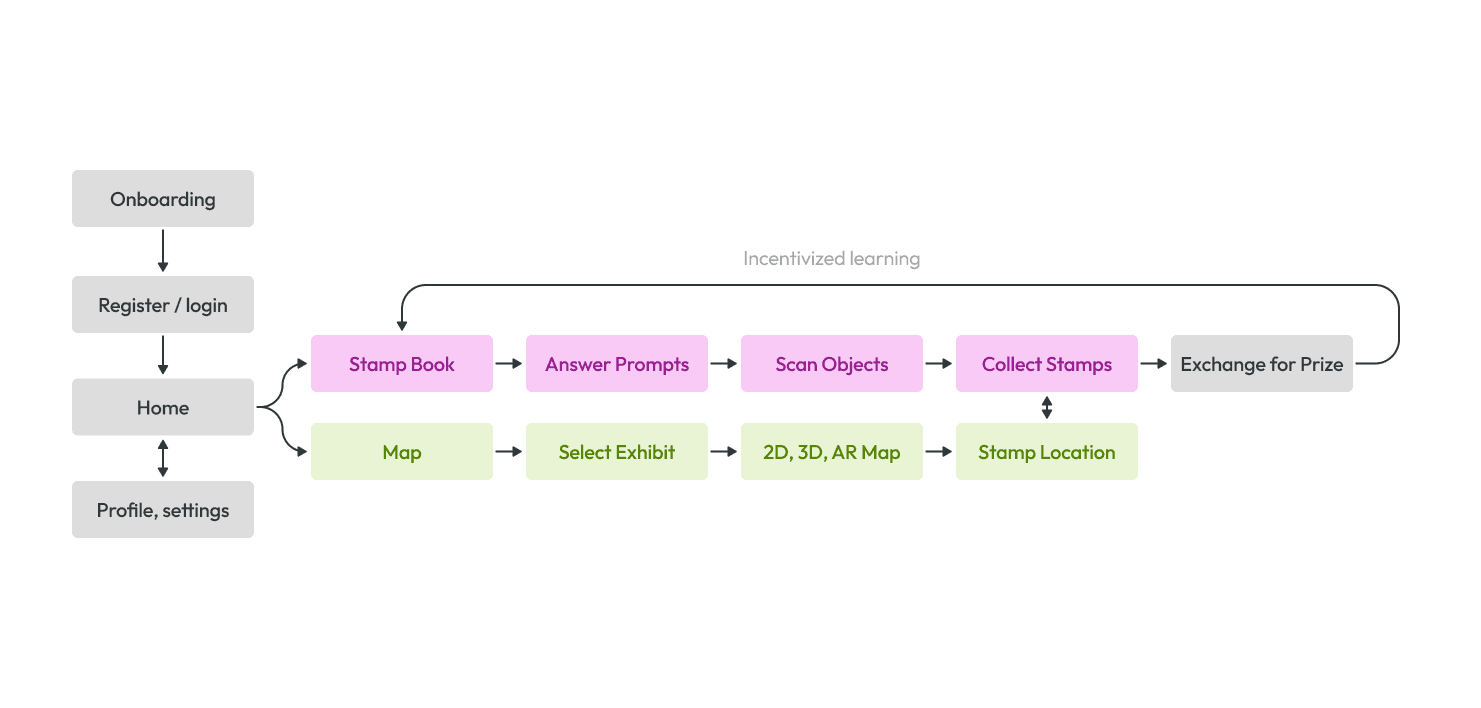
Considering the above problems identified, we decided to create an application that would address the issue of wayfinding while also implementing a game feature with an incentivized learning experience.
Stamp book feature to keep track of user progress within exhibits and rewarding
exploration efforts.Map access within the app, available on any mobile device.
Accessibility concerns of elevator access and path routing.
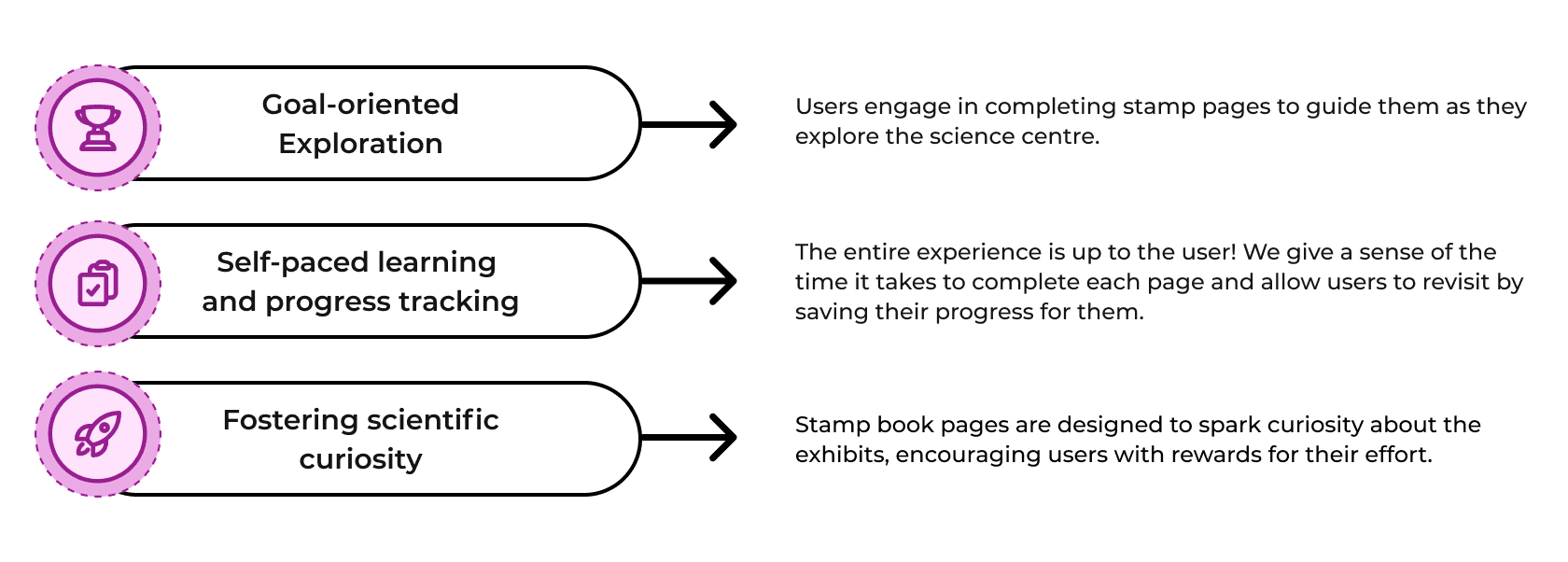
I want to be rewarded for my progress.
I want to interact with the exhibits more.
User Testing
Addressing underlying accessibility concerns within the app design.
We conducted semi-structured interviews, pilot interviews, and user tests to gain insight into the types of users and their experiences at the science centre with our prototype. Some of the insights we gathered from our tests are as follows:
Accessibility can be further pushed by adding features like zoom, voice assistance, and keyboard options.
Intuitive UI has made the app navigation easy to use and navigate through.
App permissions must be taken into consideration when accessing location and camera privacy.
From this feedback, we incorporated the additional support for accessibility as mentioned above, and included app permissions to indicate that the app does require certain permissions to use effectively.
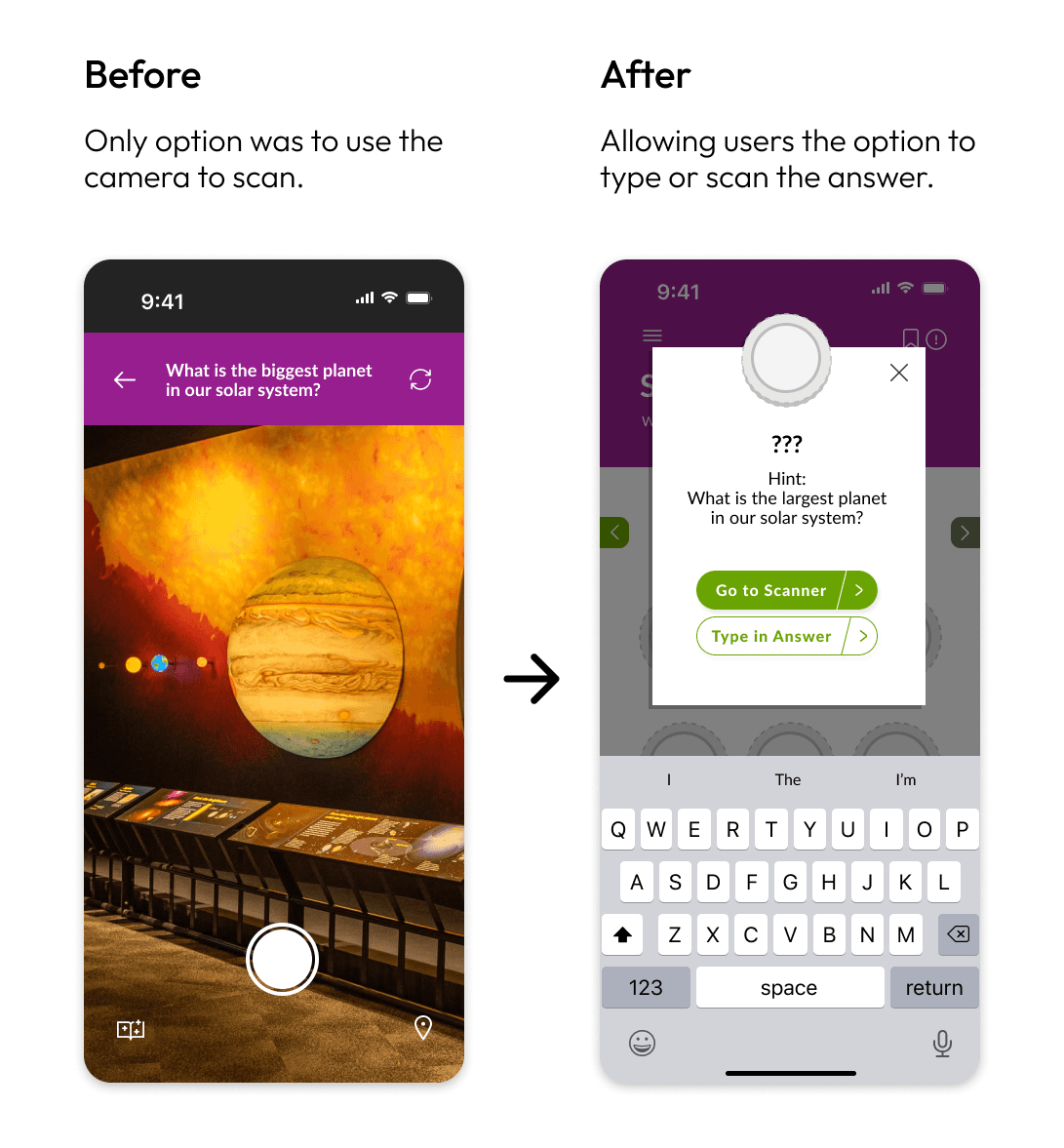
1. Adding an accessibility panel
Some things we missed in our initial design were parents with strollers, wheelchair access, individuals with other physical impairments.
So, we implemented an accessibility setting to allow users customize their app experience.
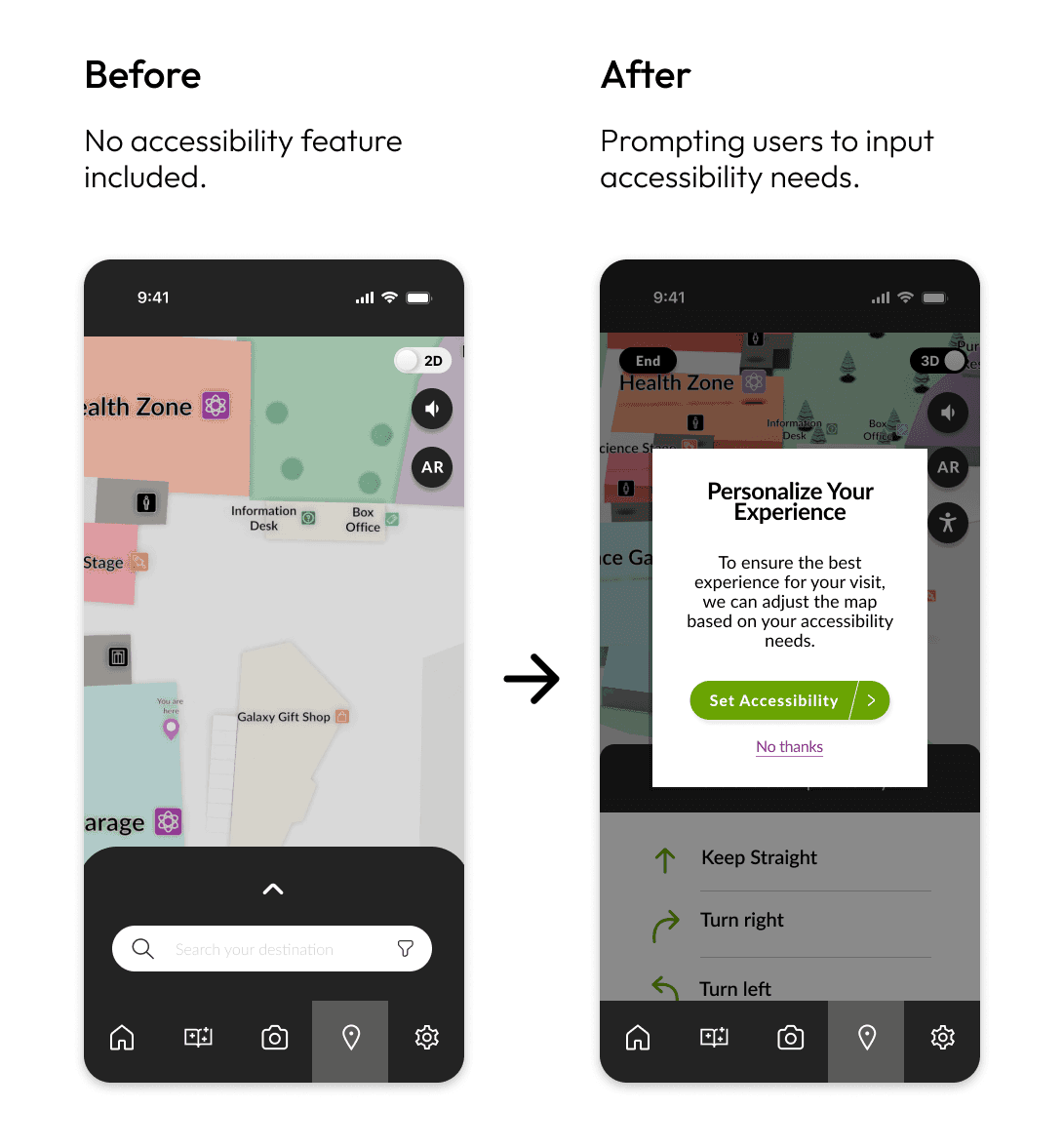
2. Giving users more options
Some users expressed wanting to answer stamp book questions without using the camera.
We added the option to input the answer manually in cases of app or device errors.
Final Wireframes
Onboarding + Tutorial
Stamp Book Collection
Using the Map
Project Takeaways
Designing with accessibility in mind is to design for the people.
Since presenting our app, we received positive feedback from the stakeholders and staff at the Telus World of Science Edmonton and Elixr Simulations. Implementation of the features we created for this app would be difficult in practice, so as a designer it is important to recognize the feasibility of an app at this scale. However, as a team, we were able to truly realize the impact of accessible features in apps like this.
Some key takeaways from this project are:
Accessibility and visual design work hand-in-hand. Accessibility means that the visual design functions as intended. Poor design leads to usability issues, making it inherently inaccessible.
One feature cannot be loved by all. It is essential to prioritize user needs, gather feedback, and iterate to create a balanced experience. While we had great feedback, there were also users who expressed that they would not use the app simply over convenience.